Why teams move off spreadsheets
Succession planning software helps you see, at any moment, which critical roles have a ready successor, which don’t, and what it will take to close the gap. A spreadsheet can record names against roles. It struggles to keep that record accurate as people are promoted, change jobs, finish development work or leave.
That gap matters more each year. DDI’s 2025 HR research, based on 2,185 HR professionals and 10,796 leaders, found that on average only 49% of critical business leadership roles could be filled immediately by internal candidates. Put another way, if those roles opened tomorrow, about half could not be filled from inside without a delay.
Demographics add pressure. In its January 2026 tenure survey, the US Bureau of Labor Statistics reported a median tenure of 9.6 years for wage and salary workers aged 55 to 64, compared with 3.0 years for workers aged 25 to 34. The people with the longest tenure, and often the deepest institutional knowledge, are also the age group closest to traditional retirement.
The pressure reaches the top of the organization too. A 2026 governance priorities report from The Conference Board, Heidrick & Struggles and ESGAUGE, summarized on the Harvard Law School Forum on Corporate Governance, lists CEO succession first among the top five governance priorities boards face in 2026. The same summary reports that more than 11% of S&P 500 CEOs are aged 65 to 69, up from just over 7% in 2017.
What this guide covers
This guide is written for HR leaders, CHROs and people operations teams at mid-size and large organizations who are evaluating succession planning software. It covers:
- What succession planning software does, and what it shouldn’t do
- The signs that you have outgrown spreadsheets
- A feature checklist you can use in vendor demos
- The difference between HCM suite modules and dedicated talent platforms
- Vendors buyers commonly shortlist, described from their own product materials
- How to run an evaluation, implement the tool and get managers to use it
- The security, privacy and AI governance questions to ask before you sign
A note on transparency: this guide is published by BullseyeEngagement, and our platform is one of the options described. We have kept the description of every vendor, including ours, to what each one states in its own product materials, so you can verify every claim yourself.
What succession planning software does
Succession planning software turns a periodic HR exercise into a system of record for leadership continuity. It holds the list of critical roles, the people who could fill them, how ready each person is, and the development work that will close each gap.
Most tools in the category cover the same six jobs. How well they do each one is what separates them.
1. Identify critical roles
The starting point is deciding which roles need a plan. A critical role is usually one with significant operational impact that would be hard to fill if it were vacated. Good software lets you flag these roles, record why each one is critical, and note the risk if it opens unexpectedly.
2. Assess people consistently
Software pulls performance ratings, potential assessments, competency results and manager input into one profile. The value is consistency: every candidate is assessed against the same criteria, rather than on whoever happens to be top of mind in a meeting.
3. Visualize the talent picture
Most tools plot employees on a performance-and-potential grid, usually the 9-box. This gives leaders a shared view of who is ready now, who is growing, and who may be in the wrong role. Some tools also show org charts with succession coverage overlaid on each position.
4. Build succession slates with readiness
For each critical role, the software records a slate of named successors and a readiness level for each one. Common readiness levels are “ready now,” “ready in one to two years” and “ready in three or more years.” The slate shows at a glance whether a role has depth or a single point of failure.
5. Turn gaps into development plans
A succession plan is only as good as the development behind it. Software links each successor to an individual development plan with actions, owners and dates, so the gap between “named” and “ready” actually closes.
6. Report on coverage and risk
Finally, the tool reports on pipeline health. Typical measures include the share of critical roles with a ready successor, bench depth per role, time to readiness and successor turnover. We cover these in detail in Succession Planning Metrics and KPIs: 7 Numbers That Actually Measure Bench Strength and Pipeline Health.
What the software should not do
Succession software should support decisions, not make them. Leaders still need to weigh context that no system holds: a candidate’s personal circumstances, a strategy shift that changes what a role needs, or a team dynamic that never shows up in a rating.
This is especially true as vendors add AI. Rankings and readiness estimates can speed up the work, but they inherit the quality and the biases of the data underneath them. As we put it in How AI Is Changing Succession Planning—Without Replacing Human Judgment, AI analyzes and recommends, while leaders review the output, apply context and act.
When you evaluate tools, look for ones that make the reasoning behind a recommendation visible. A ranking you can’t explain to a candidate, a board member or a regulator is a liability, not a feature.
Signs you have outgrown spreadsheets
You need dedicated software when keeping the plan accurate takes more effort than using it. The signs below are the most common triggers. If three or more apply to you, a spreadsheet is likely costing you more than it saves.
Sign | What it looks like day to day | Why it matters |
|---|---|---|
Conflicting versions | Each business unit keeps its own file, and HR merges them before every review | Leaders make decisions on data that is already out of date |
Annual-only updates | The plan is refreshed for the yearly talent review, then left alone | Promotions, exits and new hires change coverage within weeks |
Slow answers to basic questions | Answering “how many critical roles have a ready-now successor?” takes days | Executives and boards lose confidence in the plan |
Overcommitted successors | The same few high performers appear on slates for many roles | Bench depth looks stronger on paper than it is |
Disconnected development | Successors are named, but their development plans live somewhere else, or nowhere | Readiness doesn’t improve between reviews |
Heavy prep work | HR spends weeks pulling ratings, profiles and history before each talent review | Time goes into assembling data instead of discussing people |
Weak access control | Sensitive files with ratings and potential assessments are shared by email | Confidential talent data can reach people who shouldn’t see it |
Growing complexity | Multiple locations, new acquisitions, or a reorganization in progress | Manual mapping of people to roles breaks down quickly |
The cost you don’t see
The biggest cost of a spreadsheet-based plan is rarely the HR time it consumes. It is the decision made without good information when a role opens unexpectedly.
When a key leader resigns, the organization needs to know within hours who could step in, how ready they are and what support they would need. A plan last updated nine months ago can’t answer that with confidence. Our guide to emergency succession planning walks through the first 72 hours after a leader exits without warning.
When a spreadsheet is still enough
Software is not always the right next step. A small organization with a handful of critical roles, a stable leadership team and one person who owns the plan can run a sound process in a well-designed spreadsheet.
The tipping point usually comes from scale or frequency. Once you are tracking dozens of critical roles, running talent reviews across several business units, or updating the plan more than once a year, manual upkeep starts to fail. That is when the six jobs described above become worth automating.
A useful test: time how long it takes to produce an accurate coverage report for every critical role. If the answer is longer than an afternoon, the process has outgrown its tools.
Must-have features checklist
Use this checklist to score vendors on the capabilities that decide whether a plan stays accurate and gets used. It is grouped by job, with what “good” looks like for each feature. Mark each one as must-have, nice-to-have or not needed before your first demo, so vendors are scored against your priorities rather than their own.
Core succession planning
Feature | What good looks like |
|---|---|
Critical role designation | Flag any position as critical, with a reason, a risk rating and an owner |
Succession slates | Multiple named successors per role, each with a readiness level and notes |
Configurable readiness levels | Readiness categories you can define, such as ready now, one to two years, three or more years |
Position-based and person-based plans | Plans tied to a position that survive when the incumbent changes, plus plans for key individuals |
Talent pools | Groups of high-potential employees prepared for a family of roles, not just one seat |
Emergency or interim successors | A named interim option for roles where no one is ready now |
Coverage view | An org chart or list showing which critical roles have zero, one or several ready successors |
Talent assessment
Feature | What good looks like |
|---|---|
Performance-and-potential grid | A 9-box or similar matrix, ideally with configurable box labels and definitions |
Competency framework | A competency library mapped to roles, with expected levels for each role |
Gap analysis | A comparison of each candidate’s assessed competencies against the target role’s requirements |
Unified talent profile | One profile per employee with ratings, competencies, history, aspirations and mobility preferences |
Flight risk and impact of loss | A way to record retention risk alongside readiness, so leaders see exposure, not just coverage |
Calibration support | Tools to adjust ratings in a group session and record what changed and why |
Development
Feature | What good looks like |
|---|---|
Individual development plans | Plans linked directly to the succession gap they are meant to close |
Development actions beyond courses | Stretch assignments, mentoring, job rotations and projects, not only training links |
Progress tracking | Status, owners and due dates, with reminders for managers and employees |
Career pathing | Employees can see the competencies needed for roles they aspire to |
Analytics and reporting
Feature | What good looks like |
|---|---|
Pipeline metrics | Coverage rate, bench strength, time to readiness and successor retention, out of the box |
Trend reporting | The ability to compare this quarter’s coverage with last year’s |
Diversity of the pipeline | Representation at each readiness level, with access limited to authorized users |
Board-ready outputs | Summaries and slates that can go to an executive committee without rework in slides |
Workflow and adoption
Feature | What good looks like |
|---|---|
Talent review meeting support | Live views for the meeting, with changes saved in the session |
Manager self-service | Managers can nominate successors and update readiness without HR doing it for them |
Reminders and cycles | Scheduled review cycles with automatic prompts, so updates happen between meetings |
Usability | A manager can complete a common task without training |
Integration and administration
Feature | What good looks like |
|---|---|
HRIS integration | Employee, job and org data sync from your system of record on a schedule |
Single sign-on | Support for SAML 2.0 or your identity provider |
Role-based permissions | Fine-grained control over who sees ratings, potential and succession status |
Data export | Your data can be exported in a usable format if you change systems |
AI capabilities, if offered
Feature | What good looks like |
|---|---|
Successor recommendations | Ranked suggestions with the factors behind each ranking shown |
Readiness estimates | Estimated timelines that a human can review, adjust and override |
Risk flags | Alerts where retention risk outpaces readiness for a critical role |
Human review | Recommendations only, with a person accountable for every decision |
Data use commitments | A written statement on whether your data is used to train the vendor’s models |
How to weight the checklist
Not every feature carries equal weight. For most organizations, five capabilities decide whether a tool succeeds: position-based slates with readiness, a reliable HRIS sync, development plans linked to gaps, role-based permissions, and a manager experience simple enough that updates happen without HR chasing them.
Score those five first. A vendor that is weak on any of them will struggle in production, however strong its other features look in a demo.
Types of tools: HCM suites vs dedicated talent platforms
Succession planning software comes in three broad forms. The right one depends less on feature lists than on where your people data lives today and how much change your organization can absorb.
Approach | What it is | Strengths | Trade-offs | Often a fit when |
|---|---|---|---|---|
Succession module in an HCM suite | A module inside the same platform that runs core HR, and often payroll | One data model, no integration to build, a single vendor relationship | Can require the full suite; configuration and upgrades follow the suite’s release cycle; in some rollouts, succession gets less attention than core HR | You already run, or are moving to, that suite for core HR |
Dedicated talent or succession platform | A specialist platform that connects to your existing HRIS | Depth in succession, talent review and development; can be faster to deploy; can sit alongside any HRIS | One more system and one more integration to maintain | Your HRIS is staying, and it stores records well but doesn’t produce succession insight |
Performance platform with talent review features | A performance management tool that adds a 9-box, calibration or readiness tracking | Low friction if you already use it for reviews | Succession depth varies widely; position-based slates and risk analysis may be limited | Your main need is a better talent review, not a full succession process |
The case for an HCM suite module
If your organization already runs a major HCM suite, its succession module deserves a serious look. The data is already there, the security model is already approved, and employees already log in to it.
The usual caution is about depth and attention. Succession is one module among many, and in some implementations payroll, time and core HR take priority. Ask to see the succession module configured for an organization like yours, not a generic demo tenant.
The case for a dedicated platform
Dedicated platforms exist because some HR systems are good at storing records but weak at turning them into decisions. A dedicated tool can usually be configured around your talent review process rather than the other way round.
The trade-off is integration. A dedicated platform is only as accurate as its sync with your HRIS. Ask how the sync works, how often it runs, what happens when a job or org change fails to sync, and who fixes it.
Skills data is the common thread
Whichever approach you choose, the quality of skills and competency data decides the quality of the output. Gartner’s 2026 talent management trends note that internal mobility rates have stayed flat despite increased investment. The same release quotes a Gartner research director predicting that one in five employees will need to be redeployed by 2030, and advises talent leaders to keep employee skills data current.
Succession software can’t fix stale competency data. Before you buy, check whether your competency framework is defined, mapped to roles and actually assessed. If it isn’t, plan for that work as part of the project.
Questions to decide your approach
- Is your current HRIS staying for the next three to five years?
- Does it already include a succession module you are licensed for?
- Has that module been configured and used, and if not, why not?
- How many critical roles and business units will the plan cover?
- How soon do you need a working plan, and for which audience: the executive team, the board, or every people manager?
Vendors to evaluate
The vendors below are ones buyers commonly shortlist, across all three approaches. Each description is limited to what the vendor states in its own current product materials, reviewed in October 2026. Product capabilities change often, so confirm anything that matters to you in a live demo.
We list our own platform first and label it clearly. You should weigh our description of ourselves with the same care as any vendor’s.
Vendor and product | Approach | Succession capabilities described in the vendor’s own materials |
|---|---|---|
BullseyeEngagement (our platform) | Dedicated talent platform alongside your HRIS | Critical roles, 9-box Talent Matrix, Talent Card, Risk Matrix, gap analysis, development plans, AI Advisor for successor ranking and readiness timelines |
Workday Human Capital Management | HCM suite | Succession plans, talent pools, succession pools, readiness tracking, talent and performance calibration |
SAP SuccessFactors Succession & Development | HCM suite | Succession org chart and position tiles; an AI feature, Successor Insights, sold within a premium AI package |
Oracle Talent Review and Succession Management | HCM suite | Performance-to-potential matrix, calibration, readiness grouping, plan strength gauge, talent pools |
UKG Pro Succession | HCM suite | Succession plans at all levels, successor comparison, readiness development |
Cornerstone Succession | Talent suite | Talent pools, configurable performance-and-potential grid, skills assessment, succession plans tied to skill gaps |
Lattice Talent Reviews | Performance platform | Nine-box grids, calibration groups, tracking of succession planning and talent readiness |
BullseyeEngagement (our platform)
BullseyeEngagement is a human capital development and data management platform designed to augment your existing systems. Our homepage puts it this way: “Bullseye doesn’t replace your systems — it completes them.” The platform lists interfaces with record-keeping (HRIS), payroll and compensation, compliance, training, benefits and applicant tracking systems.
Our succession planning software covers three core steps: identifying critical positions and candidates, visualizing readiness on an interactive 9-Box Talent Matrix, and building individual development plans. Each employee has a Talent Card that combines competencies, Talent Matrix placement, Leadership Matrix results, risk assessment, development plans, succession candidacy and gap analysis in one view.
AI Advisor adds continuous analysis on top of that data. Once critical positions are identified, it measures bench depth and succession coverage, ranks best-fit successors using role alignment, competencies, performance and potential, calculates readiness timelines, builds individualized development plans, and flags exposure where attrition risk outpaces readiness. Its outputs include executive memos, 9-box placements, succession slates and readiness timelines. AI Advisor makes recommendations only; leaders make the decisions.
Supporting modules include Talent Match, which ranks candidates by competency fit and can include contractors, alumni and retirees in searches, and Competency Management, which runs gap analysis by comparing expected competency levels with assessment results. The Leadership Human Capital BI Dashboard tracks more than 70 workforce KPIs, including succession planning KPIs.
Packaging is described on our Succession Planning IQ Bundle page. It offers three solution options: Foundational Succession (including the 9-box, with 4-, 6- and 12-box variants, and AI Coach), Intelligent Succession (everything in Foundational plus AI Advisor), and Succession Insights-as-a-Service, a managed service in which our team analyzes your existing data. That page states the platform can be deployed in 4 to 8 weeks and is made for organizations with more than 500 employees.
From a buyer’s perspective, Bullseye’s distinction is architectural as much as functional. The website positions Bullseye as a Human Capital Development & Data Management platform that augments existing ERP systems rather than replacing them. For succession planning, that means organizations can keep their HRIS as the system of record while using Bullseye as the talent-intelligence layer that connects Talent Cards, competency data, Talent Match, risk views, individual development plans, AI Advisor and executive dashboards in one succession workflow.
For buyers, the practical test is whether that connected model works with their own data and governance. In a Bullseye demo, ask to see HRIS data flow into a critical-role view; successors compared using consistent competency and talent criteria; readiness gaps converted into development actions; AI Advisor surface bench depth, coverage and risk without making the final decision; and leadership-ready outputs produced without rebuilding the story in spreadsheets or slide decks.
Workday Human Capital Management
Workday’s feature descriptions for its HCM product list succession plans for internal positions, talent pools that track groups of employees across organizational boundaries, and succession pools for one or more job profiles. They also describe succession readiness tracking and talent and performance calibration, including calibration programs and the ability to delegate calibration to managers or HR partners.
SAP SuccessFactors Succession & Development
SAP describes an AI feature called Successor Insights. It gives succession planners and managers insight into each candidate’s role fit, performance, key achievements, strengths and development areas, shown on the position card in the Succession Org Chart or Position Tile view. SAP states that AI-assisted Successor Insights requires AI Units, so confirm the specific AI entitlements included in your subscription.
Oracle Talent Review and Succession Management
Oracle’s data sheet describes a talent review dashboard built on an interactive, flexible matrix, including performance-to-potential views, with calibration during the talent review discussion. On the succession side, it lists incumbent-based and position-based plans, candidates grouped by readiness, a plan strength gauge showing the number of candidates in each readiness category, a succession overview that flags plans with too few ready-now candidates, interim successors, and talent pools with development goals.
UKG Pro Succession
UKG’s current Talent Management materials position succession planning within its broader talent suite, with flexible nine-box grids and talent pools, readiness and flight-risk insights, and AI-supported recommendations for successors based on performance and readiness signals.
Cornerstone Succession
Cornerstone describes building talent pools of high-performing and high-potential employees, a configurable performance-and-potential grid with filters and color coding, and tools to assess the skills employees have and will need. Succession plans are described as a way to identify and fill skill gaps, alongside career development paths.
Lattice Talent Reviews
Lattice positions Talent Reviews within its performance platform. Its product page lists nine-box grids that plot employees on performance and potential, calibration groups with facilitated discussions, and tools for tracking succession planning and talent readiness. As with every vendor here, confirm in a demo how each feature works for your own process.
How to use this shortlist
Treat this list as a starting point, not a ranking. Two vendors with similar feature lists can differ widely in how easy they are for managers to use, how well they fit your HRIS and how much configuration they need. The evaluation process in the next section is designed to surface those differences.
How to run an evaluation
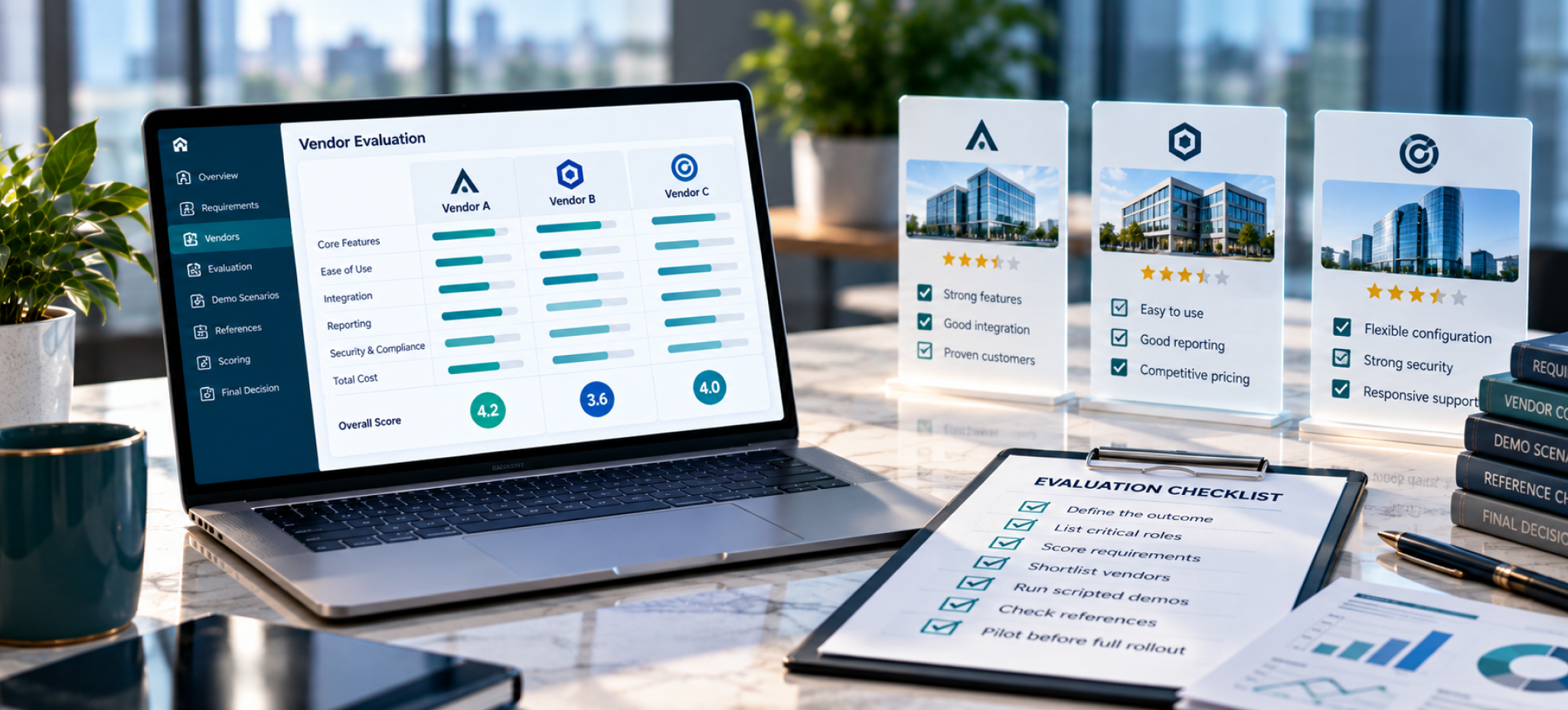
A good evaluation tests each vendor against your own process and data, not against a polished demo script. The steps below take most teams from long list to decision in a structured way.
- Define the outcome. Write down what success looks like in a year, in measurable terms. For example: every critical role has at least one named successor with a readiness level, and the executive team reviews coverage each quarter.
- List your critical roles and current process. Know roughly how many roles the plan will cover, who updates it today and how often talent reviews happen.
- Score your requirements. Use the checklist above and mark each feature as must-have, nice-to-have or not needed.
- Shortlist three to four vendors. Include at least one option from each approach that fits your situation, so you compare trade-offs, not just brands.
- Run scripted demos. Send every vendor the same scenarios in advance and ask them to show those scenarios live.
- Check references. Speak to customers of similar size and industry, ideally ones that replaced spreadsheets or another tool.
- Pilot before full rollout. Test the tool with one business unit or one leadership layer before committing the whole organization.
Scenarios to send vendors before the demo
Scripted scenarios stop demos from drifting into features you don’t need. Ask each vendor to walk through these, using sample data that looks like yours:
- A vice president resigns with two weeks’ notice. Show who could step in, how ready each person is, and what the interim plan would be.
- A high-potential employee is named on slates for four different roles. Show how the system flags that overcommitment.
- A successor’s readiness moves from “one to two years” to “ready now.” Show who updates it, what triggers the change and how the history is recorded.
- The board asks for a one-page summary of succession coverage for the top 25 roles. Produce it live.
- A manager disagrees with a 9-box placement during a talent review. Show how the change is made and recorded in the meeting.
Demo questions buyers should ask
Area | Question |
|---|---|
Data | Where does each field on the talent profile come from, and how often does it refresh from our HRIS? |
Data | What happens when a sync fails, and how would we know? |
Configuration | Can we define our own readiness levels, 9-box labels and critical role criteria without vendor services? |
Configuration | How much of what you just showed is standard, and how much was configured for this demo? |
Adoption | What does a manager see when they log in, and how many clicks does a common update take? |
Adoption | What usage rates do customers like us reach in the first year? |
AI | Which factors drive each recommendation, and can a user see them? |
AI | Can a user override a recommendation, and is the override recorded? |
AI | Is our data used to train your models or anyone else’s? |
Security | Which independent audit reports can you share under NDA? |
Commercial | What is included in the license, and what is a paid add-on or a services fee? |
Exit | How do we export all our data, in what format, if we leave? |
A simple scoring model
Score each vendor on a 1-to-5 scale for each category, then weight the categories by importance. The weights below are an illustrative starting point; adjust them to your priorities.
Category | Illustrative weight |
|---|---|
Core succession and assessment features | 25% |
Ease of use for managers | 20% |
Integration with your HRIS | 15% |
Reporting and analytics | 15% |
Security, privacy and AI governance | 15% |
Total cost and commercial terms | 10% |
Ask several evaluators to score independently before comparing results. Scores that differ widely are a signal to revisit the demo recording, not to average the difference away.
Running a useful pilot
A pilot should test the hardest part of your process, not the easiest. Pick a business unit with real succession pressure, load real data and run one full talent review cycle in the tool.
Measure what changed: preparation time before the meeting, the number of slates completed, how many development plans were created, and what managers said about the experience. Those numbers make the business case far stronger than a feature comparison.
Implementation and adoption
When succession software projects fail, it is often in adoption rather than technology. The tool goes live, HR loads the data, and managers keep updating the old spreadsheet, or nothing at all. Plan the rollout around the people who need to use it.
A phased rollout plan
Phase | What happens | Done when |
|---|---|---|
1. Data readiness | Clean job titles, reporting lines and position data in the HRIS; confirm the competency framework | Org structure in the HRIS matches reality |
2. Design | Agree critical role criteria, readiness definitions, 9-box definitions and who can see what | Definitions are written down and approved by the executive sponsor |
3. Configuration and integration | Set up the HRIS sync, single sign-on and role-based permissions | Test users see the right data and nothing more |
4. Pilot | Run one talent review cycle with one business unit | Slates and development plans exist for the pilot’s critical roles |
5. Manager enablement | Short, task-based guidance for managers and HR business partners | Managers can nominate a successor and update readiness unaided |
6. Scale | Roll out to remaining units in waves | Coverage report runs for every critical role |
7. Operate | Set a review cadence and track pipeline metrics | Updates happen between reviews, not only before them |
Write the definitions before you configure
The most useful work happens before anyone logs in. Agree what “critical role” means, what each readiness level means, and what each box on the 9-box means in your organization.
Without shared definitions, two managers will rate the same person differently, and the software will faithfully record the inconsistency. Clear definitions make calibration faster and make the data comparable across business units.
Decide what employees will see
Succession data is sensitive, and organizations differ on how open to be. Some keep slates fully confidential. Others share readiness and development goals with the employee while keeping slates themselves restricted.
There is a growing case for more openness. As we discuss in succession planning for a workforce that demands career visibility, high-potential employees increasingly expect to see a path forward. Whatever you decide, configure permissions to match the policy and explain it to managers before launch.
Make it easy for managers
Managers are the main source of updates, and they have limited time. Keep the number of required fields low, put the most common tasks one or two clicks away, and connect updates to meetings they already hold, such as one-on-ones and talent reviews.
Build a regular rhythm. A quarterly prompt to confirm readiness and development progress for each successor keeps the plan current without becoming a burden.
Secure executive sponsorship
Succession planning is a leadership process that HR facilitates. An executive sponsor who reviews coverage each quarter, and asks about gaps, does more for adoption than any training session. When leaders use the reports, managers keep the data current.
Security, privacy and AI governance questions
Succession data is some of the most sensitive information an organization holds. It records who leaders think could run the business, who might leave, and who is not seen as having potential. Treat security and AI governance as must-haves in your evaluation, not a procurement formality at the end.
Security questions
Question | Why it matters |
|---|---|
Which independent audit reports can you share, and does the audit cover your own application or only your cloud provider? | A cloud provider’s certifications cover its infrastructure, not the vendor’s software or processes |
How is data encrypted in transit and at rest? | Talent data travels between your HRIS, the platform and users’ browsers |
Do you support single sign-on with our identity provider? | SSO lets you enforce your own login policies and remove access in one place |
How granular are role-based permissions? | Managers should see their own teams; slates may need tighter limits than profiles |
How often is data backed up, and how long are backups kept? | Recovery options matter if data is corrupted or deleted |
Where is data stored, and can it stay in a specific region? | Some organizations have residency requirements for employee data |
How do we export everything if we leave? | You should never lose your succession history because you changed vendors |
On independent audits, the AICPA describes its SOC 2 examination as reporting on controls at a service organization relevant to security, availability, processing integrity, confidentiality or privacy. Ask which report a vendor holds, which period it covers, and whether it applies to the product you are buying.
Why AI raises the stakes
AI features that rank successors or estimate readiness can influence who gets promoted. That brings them close to, and sometimes inside, emerging rules on automated employment decisions. The examples below show why governance questions belong in the evaluation. They are not legal advice; check with your counsel about how they apply to you.
- New York City. Local Law 144 bars employers and employment agencies from using an automated employment decision tool unless it has had a bias audit within the past year, a summary of the results is public, and required notices are given. Enforcement began on July 5, 2023. The city’s FAQ states that the requirements apply to tools used to assess candidates for hiring or promotion.
- European Union. The EU AI Act, Regulation (EU) 2024/1689 of 13 June 2024, lists in Annex III AI systems intended to make decisions affecting promotion, to allocate tasks based on individual behavior or personal traits, or to monitor and evaluate performance and behavior. Systems listed in Annex III are generally classed as high-risk, which brings additional obligations for providers and deployers.
- Automated decisions under GDPR. Article 22 of the GDPR gives people the right not to be subject to a decision based solely on automated processing that produces legal or similarly significant effects on them.
A practical framework helps. The NIST AI Risk Management Framework, released on January 26, 2023 and intended for voluntary use, organizes AI risk work into four functions: Govern, Map, Measure and Manage. Those four functions are a useful way to structure the questions you put to vendors.
AI governance questions
- Does the AI make decisions, or only recommendations that a person must review?
- Which data and factors drive each recommendation, and can users see them?
- Has the model been tested for adverse impact across demographic groups, and can you share the method?
- Can users override a recommendation, and is the override logged?
- Is our data used to train or improve your models, or shared with third parties for that purpose?
- How do you notify customers when a model changes in a way that could affect outputs?
- Can we switch AI features off for certain regions or populations?
How we answer these questions
Our data security page sets out how the BullseyeEngagement platform handles them. It describes hosting on AWS, support for SAML 2.0 single sign-on, role-based access control for granular permissions, TLS encryption for data in transit, daily server snapshots and twice-daily database backups with seven-day retention, and adherence to GDPR and CCPA standards. Optional data localization is available on request for enterprise clients.
On AI, the same page states that Bullseye does not use user input, chat information or other customer-provided data to train, fine-tune or improve its models, and does not share customer content with third parties for model training. Our AI Advisor page adds that AI Advisor provides recommendations only, with access depending on the role and permissions your organization sets. We would encourage you to ask every vendor on your shortlist, including us, to put commitments like these in the contract.
FAQ
1. What is succession planning software?
Succession planning software is a system for identifying critical roles, assessing potential successors, recording their readiness and managing the development that prepares them. It replaces spreadsheets and slide decks with a single, permission-controlled record that can be updated continuously and reported on at any time.
2. How is it different from talent management software?
Talent management is the broader category. It usually covers performance reviews, goals, learning, compensation and career development. Succession planning is one part of it, focused on leadership continuity for specific roles. Some vendors sell succession as a standalone module; others include it in a talent suite.
3. How much does succession planning software cost?
Pricing varies widely by vendor, approach and organization size, and many vendors don’t publish list prices. Common models include per-employee subscriptions and module or bundle pricing. When comparing quotes, ask for the total cost over three years, including implementation, integration, training and any AI features sold as add-ons.
4. How long does implementation take?
It depends mostly on the state of your data and the scope of the rollout. Clean HRIS data and agreed definitions shorten any project. For reference, our Succession Planning IQ Bundle page states that the BullseyeEngagement platform can be deployed in 4 to 8 weeks; ask every vendor for a timeline based on customers like you.
5. Our HRIS has a succession module. Do we need anything else?
Possibly not. If the module covers your must-have features and managers will use it, it is often the simplest path. Organizations usually look elsewhere when the module is unlicensed, hard to configure or rarely used, or when the HRIS stores records well but doesn’t produce the insight leaders need.
6. Can AI choose our successors?
It shouldn’t. AI can rank candidates, estimate readiness and flag risk, which saves time and can surface people who might otherwise be overlooked. Final decisions should stay with people who can weigh context and be accountable for the outcome, and some jurisdictions regulate automated tools used in promotion decisions.
7. What should the software measure?
At minimum, it should report critical role coverage, bench strength, time to readiness, internal fill rate for leadership roles and successor retention. Pipeline representation and development plan progress are also worth tracking. Look for trend reporting, so you can see whether coverage is improving over time.
8. Who should own succession planning software?
HR typically owns the system and the process, while senior leaders own the decisions and the outcomes. The most effective setups give managers responsibility for keeping their own slates and development plans current, with HR facilitating talent reviews and reporting to the executive team and the board.
Choosing the right succession planning software
The right succession planning software is the one your leaders will actually use to make decisions. Feature lists matter, but the tools that succeed share three traits: they stay in sync with your HR data, they make updates easy for managers, and they turn every named successor into a development plan with an owner and a date.
Start with your process and your data, not with a vendor list. Define your critical roles and readiness levels, decide which approach fits your systems, and then test every shortlisted vendor against the same real scenarios. Hold AI features to a clear standard: recommendations people can see, question and override.
If you would like to see how BullseyeEngagement handles critical roles, 9-box talent reviews, development plans and AI-assisted readiness analysis, explore our succession planning software or contact our team to book a demo built around your own scenarios.